Author name: Jane Torres

I'm Jane Austen, a skilled content writer with the ability to simplify any complex topic. I focus on delivering valuable tips and strategies throughout my articles.

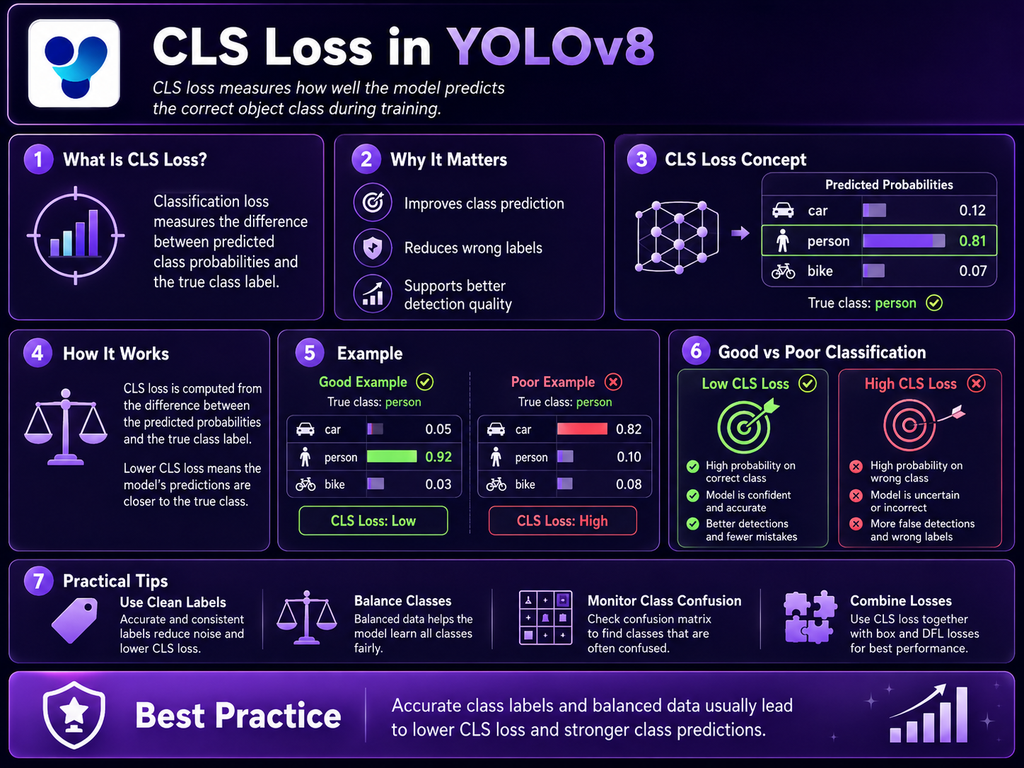
What Is CLS Loss in YOLOv8? Classification Loss Explained

CLS loss in YOLOv8 is the classification component of the detection loss. It measures how well the model’s predicted class scores match the target classes assigned during training. In current Ultralytics YOLOv8-style detection loss, classification uses BCEWithLogitsLoss, and the resulting classification term is scaled by the configurable cls loss gain before it is combined with […]

What Is CLS Loss in YOLOv8? Classification Loss Explained Read More »

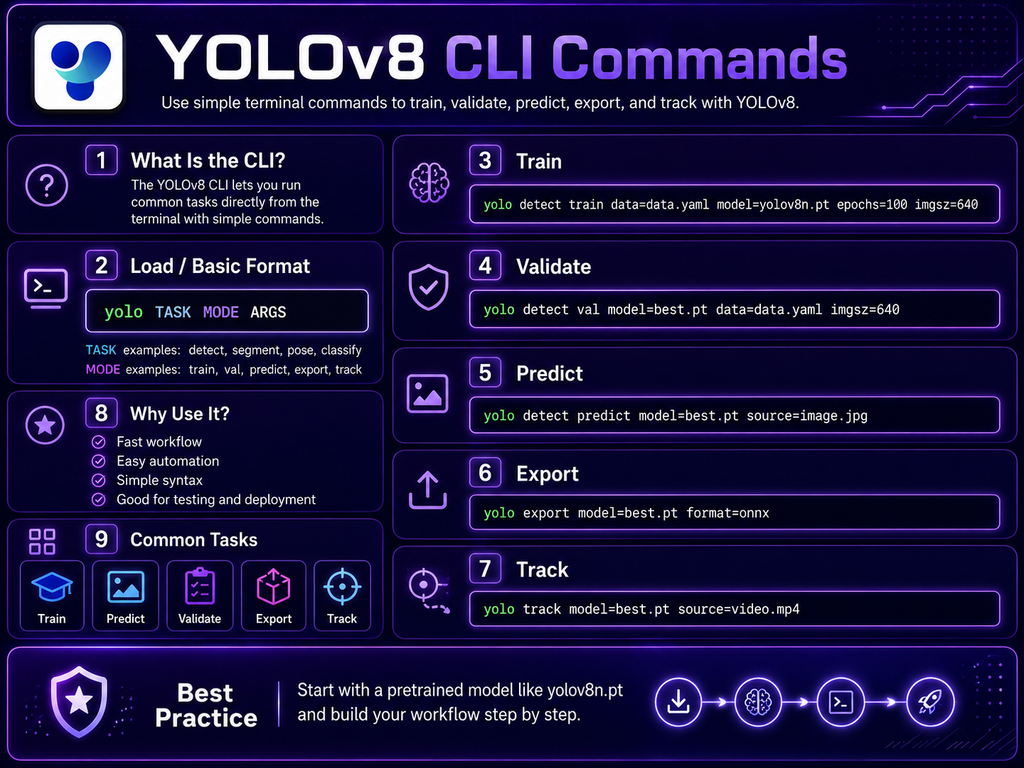
YOLOv8 CLI Commands: Complete Guide with Examples

YOLOv8 CLI commands let you train, validate, predict, track, and export Ultralytics YOLO models directly from a terminal without writing Python code. The Ultralytics command-line interface follows a consistent structure built around a task, a mode, and name=value arguments. The general grammar documented by Ultralytics is yolo [TASK] MODE ARGS, where the task can sometimes

YOLOv8 CLI Commands: Complete Guide with Examples Read More »

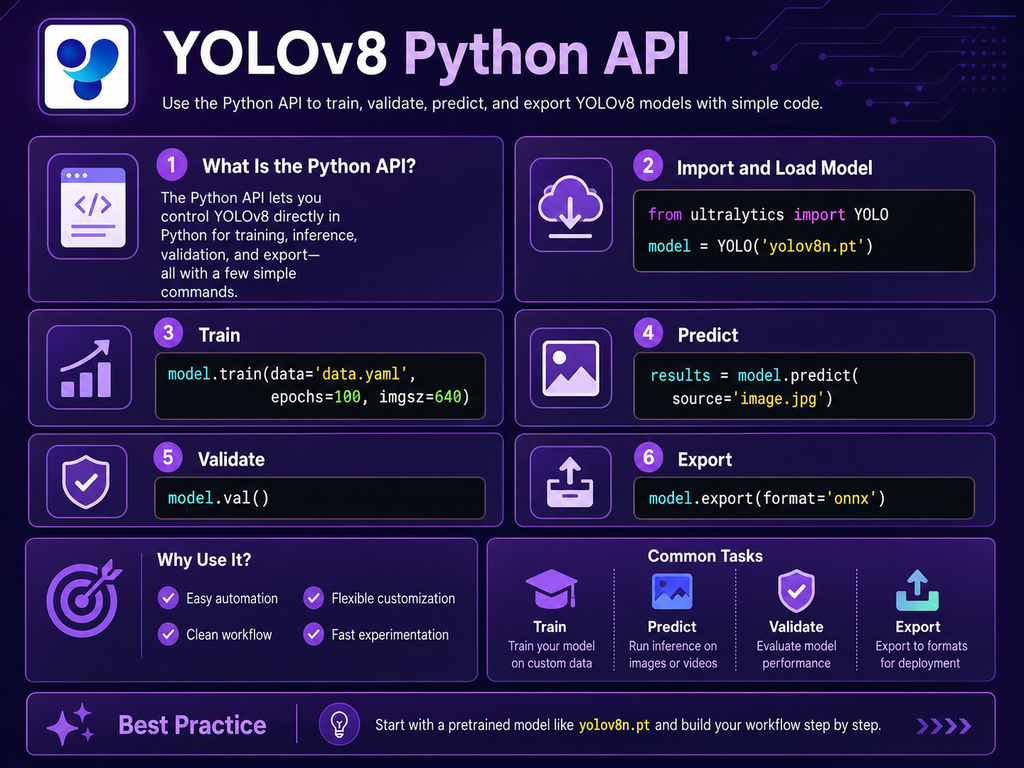
YOLOv8 Python API: How to Use Ultralytics YOLO in Python

The YOLOv8 Python API lets you load, train, validate, predict, track, and export Ultralytics YOLO models directly from Python. Instead of running everything through terminal commands, you can import the YOLO class from the ultralytics package and integrate YOLOv8 into scripts, notebooks, web applications, automation pipelines, or larger computer vision systems. Ultralytics officially supports Python

YOLOv8 Python API: How to Use Ultralytics YOLO in Python Read More »

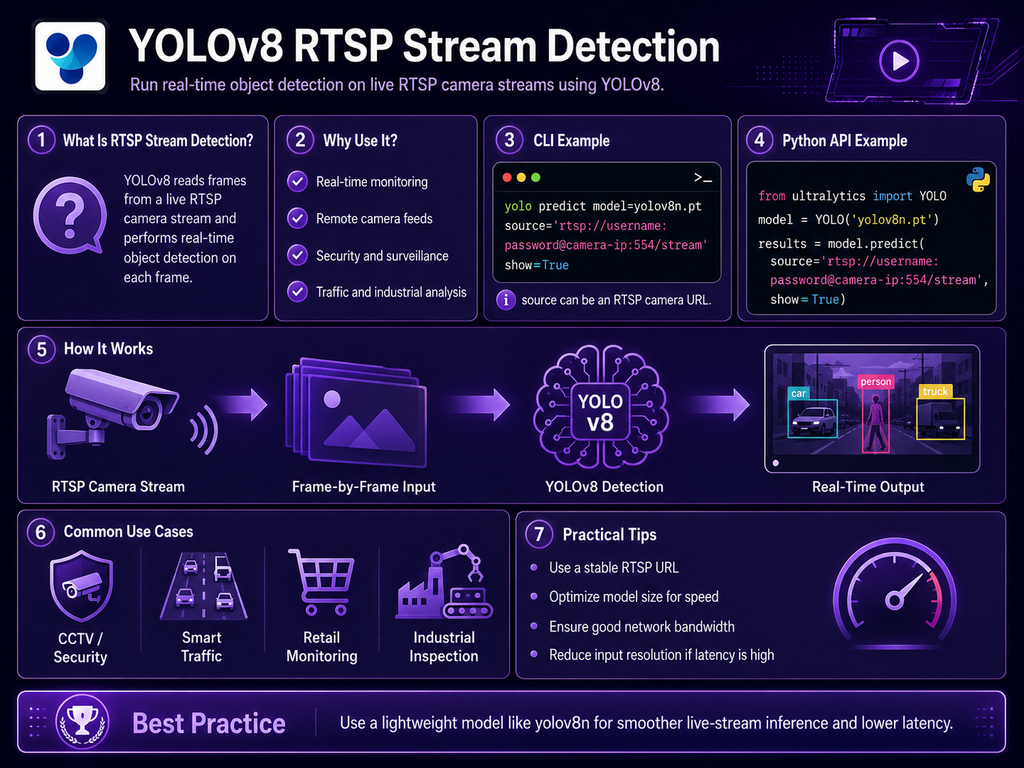
YOLOv8 RTSP Stream Detection: Real-Time IP Camera Guide

YOLOv8 RTSP stream detection allows an Ultralytics YOLO model to process live video from IP cameras and network video sources. RTSP, or Real-Time Streaming Protocol, is commonly used by surveillance cameras because it provides a direct network video stream that applications can decode frame by frame. Current Ultralytics stream loading supports RTSP together with RTMP,

YOLOv8 RTSP Stream Detection: Real-Time IP Camera Guide Read More »

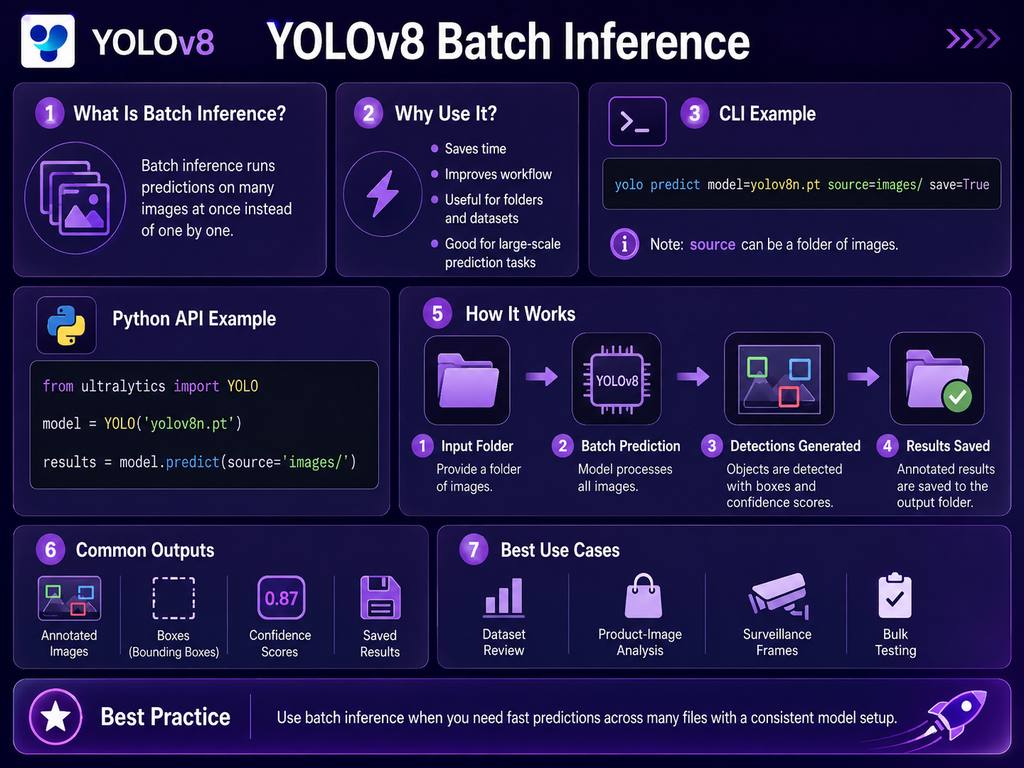
YOLOv8 Batch Inference: How to Process Multiple Images Efficiently

YOLOv8 batch inference allows multiple images or video frames to be processed together instead of sending every input through the model individually. This can improve hardware utilization, especially on GPUs, and reduce total inference time when many files need to be analyzed. Ultralytics Predict mode supports batch processing as well as memory-efficient streaming with stream=True,

YOLOv8 Batch Inference: How to Process Multiple Images Efficiently Read More »

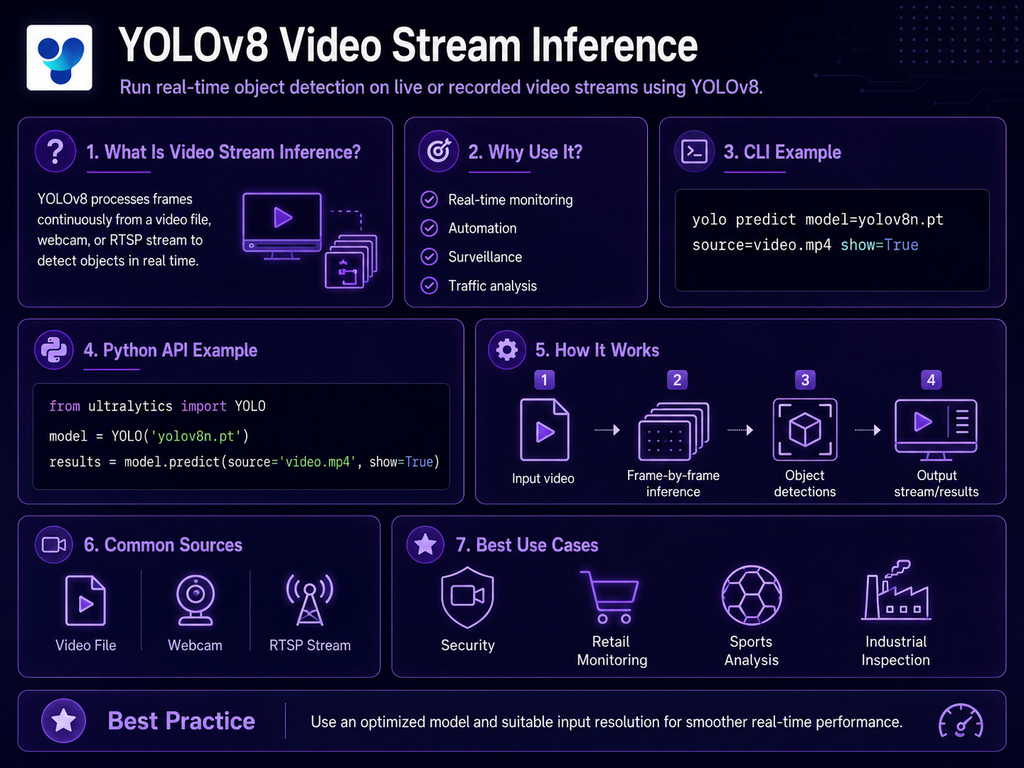
YOLOv8 Video Stream Inference: Real-Time Detection Guide

YOLOv8 video stream inference allows an Ultralytics YOLO model to detect objects continuously across frames from videos, webcams, IP cameras, RTSP feeds, and other supported streaming sources. Instead of loading an entire video result set into memory, the Python API can use stream=True to return a generator that yields one Results object at a time,

YOLOv8 Video Stream Inference: Real-Time Detection Guide Read More »

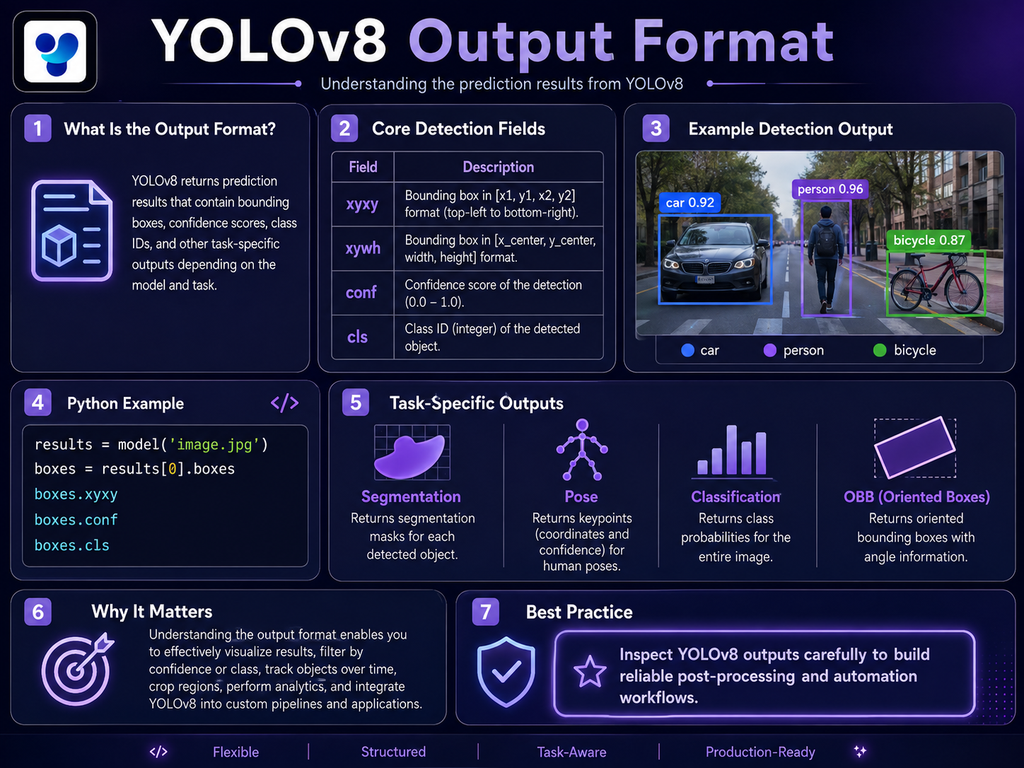
YOLOv8 Output Format: Predictions, Results, and Data Structure Explained

The YOLOv8 output format depends on the task being performed. Standard object detection returns bounding boxes, class IDs, confidence scores, and related image metadata. Segmentation adds masks, pose estimation adds keypoints, oriented bounding box models return rotated boxes, and tracking can add persistent object IDs. In the Ultralytics Python API, these outputs are organized inside

YOLOv8 Output Format: Predictions, Results, and Data Structure Explained Read More »

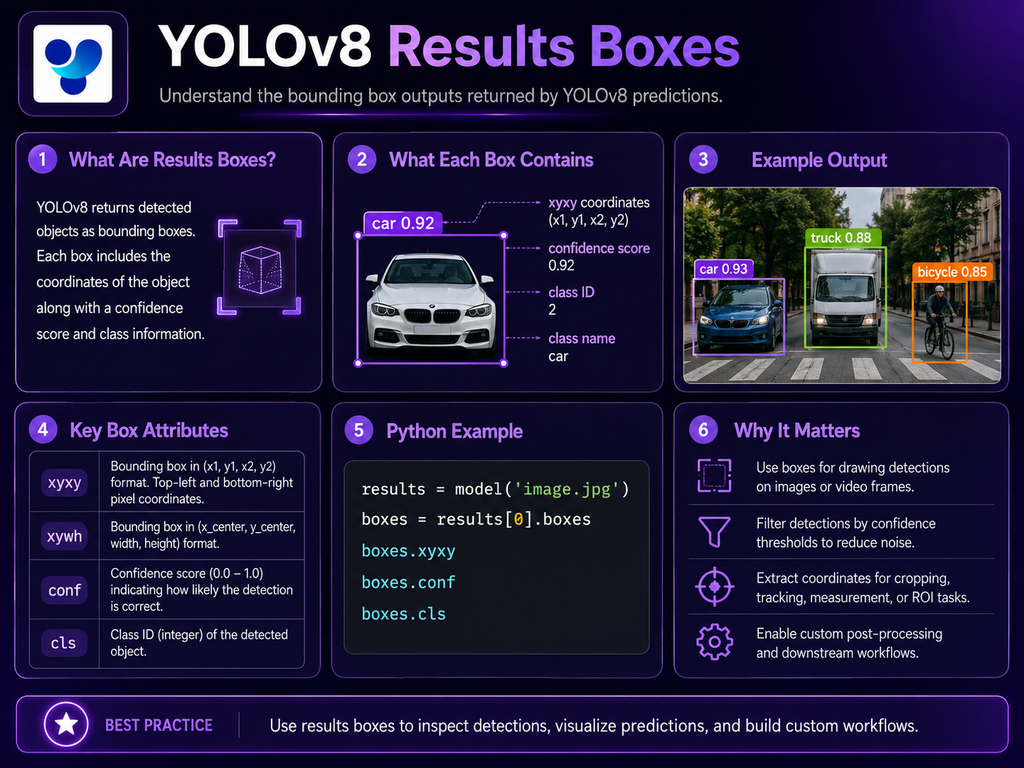
YOLOv8 Results Boxes: Bounding Box Output Explained

YOLOv8 Results Boxes are the structured bounding-box outputs returned after object detection. In the Ultralytics Python API, detection results are stored inside a Results object, and the bounding-box information is available through result.boxes. The current Boxes class provides direct access to coordinates, confidence scores, class IDs, normalized coordinates, and optional tracking IDs. For standard object

YOLOv8 Results Boxes: Bounding Box Output Explained Read More »

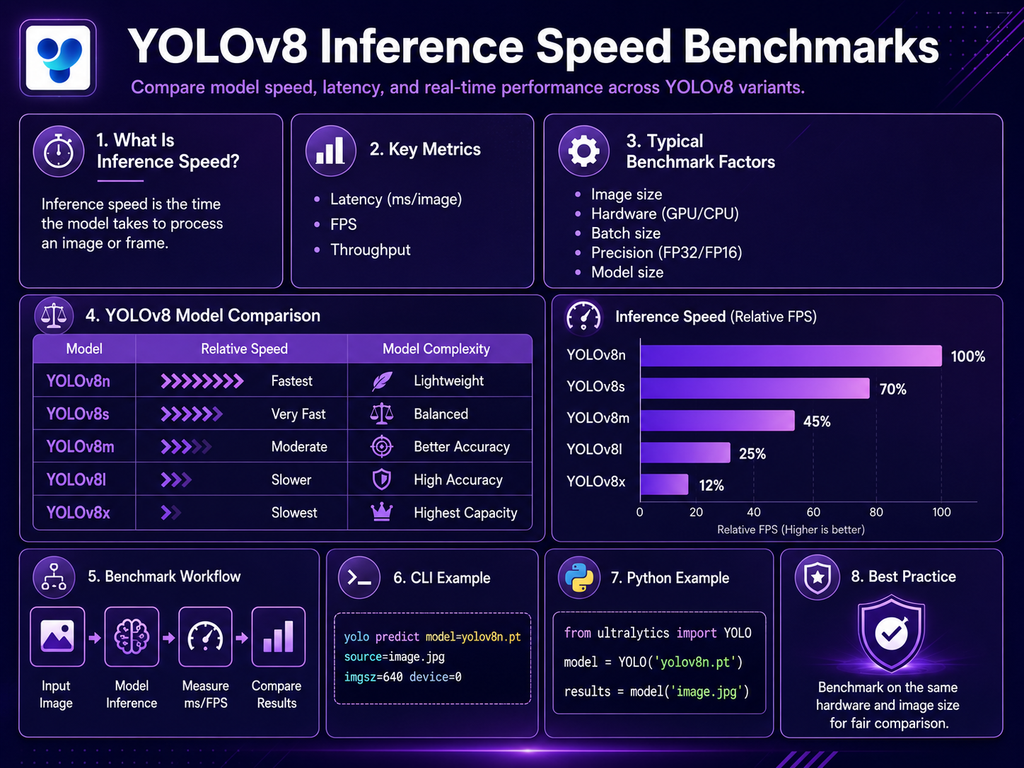
YOLOv8 Inference Speed Benchmarks: Performance Across Models and Hardware

YOLOv8 inference speed benchmarks show how quickly different YOLOv8 model sizes can process images on CPUs, GPUs, edge devices, and optimized inference runtimes. Speed is usually reported as milliseconds per image (ms/image) or converted into frames per second (FPS). However, benchmark numbers only make sense when the model, image size, hardware, precision, batch size, and

YOLOv8 Inference Speed Benchmarks: Performance Across Models and Hardware Read More »

YOLOv8 Save Predictions to JSON: Complete Guide

Saving YOLOv8 predictions to JSON is useful when detection results need to be stored, transferred, analyzed, indexed, or consumed by another application. Current Ultralytics Results objects provide a built-in to_json() method that exports prediction results as a JSON-formatted string. The method supports options such as normalized values and configurable decimal precision. A simple YOLOv8 JSON

YOLOv8 Save Predictions to JSON: Complete Guide Read More »

Scroll to Top