YOLOv8 Save Predictions to JSON: Complete Guide
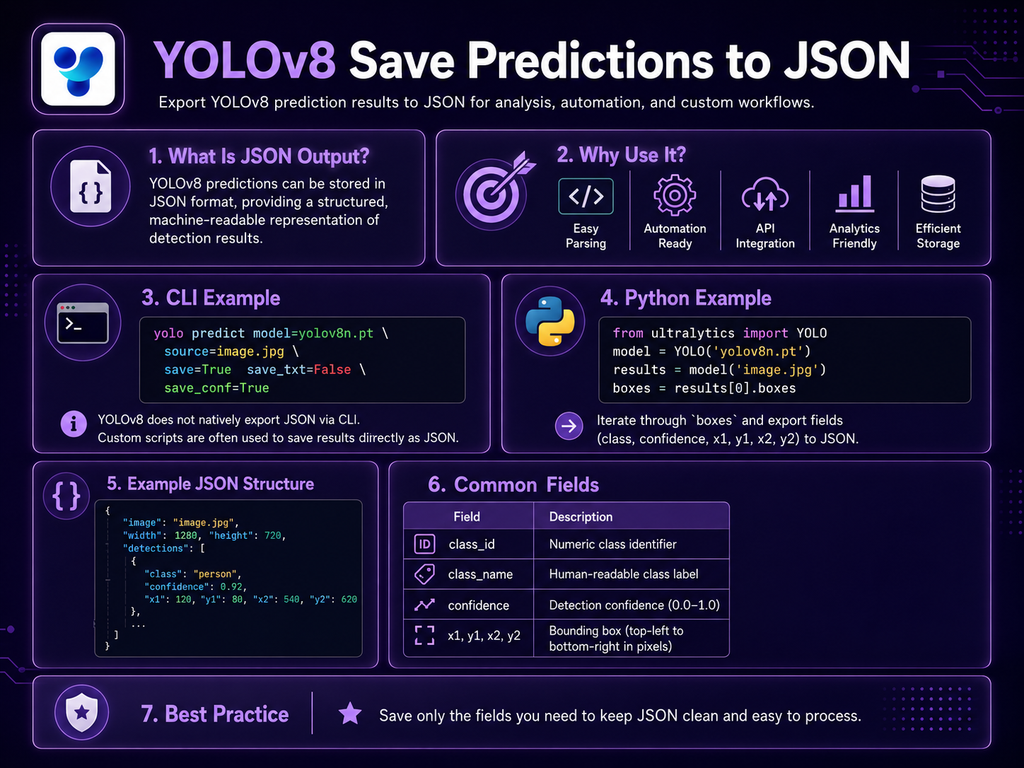
Saving YOLOv8 predictions to JSON is useful when detection results need to be stored, transferred, analyzed, indexed, or consumed by another application. Current Ultralytics Results objects provide a built-in to_json() method that exports prediction results as a JSON-formatted string. The method supports options such as normalized values and configurable decimal precision. A simple YOLOv8 JSON […]