Blog

How to Train YOLOv8 from Scratch on a Custom Dataset

Training YOLOv8 from scratch on a custom dataset means building the YOLOv8 architecture with randomly initialized weights instead of starting from pretrained .pt weights. In Ultralytics, the clearest way to do this is to create the model from a YOLOv8 architecture YAML file, such as yolov8n.yaml, rather than loading yolov8n.pt. Ultralytics also exposes pretrained=False as […]

How to Train YOLOv8 from Scratch on a Custom Dataset Read More »

YOLOv8 Cosine Learning Rate: How It Works and How to Use It

The YOLOv8 cosine learning rate schedule gradually reduces the learning rate over the course of training using a cosine-shaped decay curve. In Ultralytics, cosine scheduling can be enabled with cos_lr=True. The scheduler starts near the initial learning rate and progressively moves toward a final learning-rate fraction controlled by lrf. This can provide smoother late-stage optimization

YOLOv8 Cosine Learning Rate: How It Works and How to Use It Read More »

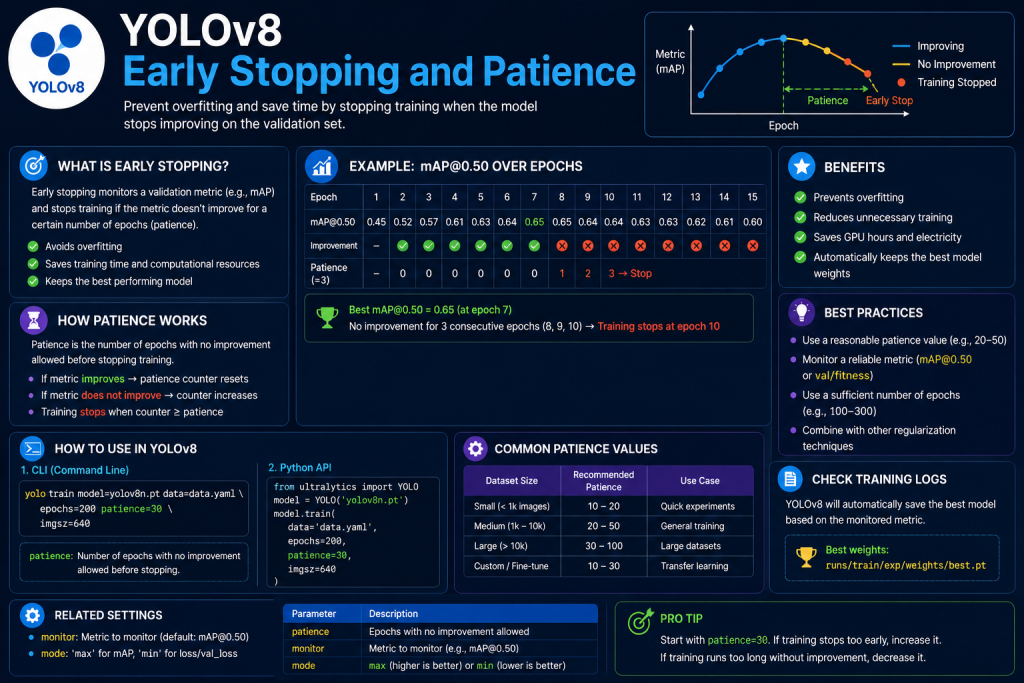
YOLOv8 Early Stopping and Patience: How They Work During Training

YOLOv8 early stopping automatically ends training when validation performance has stopped improving for a specified number of epochs. The patience parameter controls how long YOLOv8 waits before stopping. In current Ultralytics training settings, the default patience value is 100, meaning training can stop when validation performance fails to improve for 100 consecutive epochs. Introduction to

YOLOv8 Early Stopping and Patience: How They Work During Training Read More »

YOLOv8 Batch Size: How to Choose the Best Value for Training

YOLOv8 batch size controls how many training images are processed together before the optimizer performs a weight update. Choosing the right batch size affects GPU memory usage, training speed, gradient stability, and sometimes final model performance. Ultralytics currently allows batch size to be set as a fixed integer such as batch=16, automatically selected with batch=-1,

YOLOv8 Batch Size: How to Choose the Best Value for Training Read More »

YOLOv8 Model YAML Configuration: Structure, Parameters, and Examples

The YOLOv8 model YAML configuration defines how the neural network itself is constructed. It describes the backbone, detection head, layer connections, module types, repeated blocks, output channels, and model scaling behavior. Unlike data.yaml, which describes a dataset, a model YAML file acts as an architectural blueprint. The official YOLOv8 configuration uses modules such as Conv,

YOLOv8 Model YAML Configuration: Structure, Parameters, and Examples Read More »

YOLOv8 Hyperparameter Tuning: Parameters, Methods, and Best Practices

YOLOv8 hyperparameter tuning is the process of adjusting training settings such as learning rate, batch size, image size, optimizer behavior, regularization, and data augmentation to improve model performance. Unlike learned model weights, hyperparameters are chosen before or during the training configuration process. Ultralytics supports both manual tuning and automated hyperparameter search, allowing different configurations to

YOLOv8 Hyperparameter Tuning: Parameters, Methods, and Best Practices Read More »

YOLOv8 Train Command: Syntax, Parameters, and Examples

The YOLOv8 train command is used to train or fine-tune Ultralytics YOLOv8 models on standard or custom datasets. Through the command line, you can select the computer vision task, model checkpoint, dataset YAML file, number of epochs, image size, batch size, GPU device, learning rate, and many other training options. Ultralytics follows the general CLI

YOLOv8 Train Command: Syntax, Parameters, and Examples Read More »

YOLOv8 with BoT-SORT: Real-Time Object Detection and Tracking

YOLOv8 with BoT-SORT combines real-time object detection with multi-object tracking. YOLOv8 detects objects in each video frame, while BoT-SORT associates those detections across frames and assigns persistent tracking IDs. In the current Ultralytics tracking system, BoT-SORT is available as a built-in tracker and is the default tracker used by model.track() unless another tracker is selected.

YOLOv8 with BoT-SORT: Real-Time Object Detection and Tracking Read More »

YOLOv8 Data YAML File: Structure, Format, and Examples

The YOLOv8 data YAML file tells Ultralytics where a dataset is located and how its classes are organized. A typical data.yaml file contains the dataset root, training and validation image paths, optional test data, and a mapping between class IDs and class names. Pose datasets can include additional fields such as kpt_shape and flip_idx. The

YOLOv8 Data YAML File: Structure, Format, and Examples Read More »

YOLOv8 with StrongSORT: Real-Time Object Detection and Tracking

YOLOv8 with StrongSORT combines YOLOv8 object detection with an appearance-aware multi-object tracker that can maintain identities across video frames. YOLOv8 detects objects and provides bounding boxes, classes, and confidence scores, while StrongSORT associates those detections over time using motion information and deep appearance features. StrongSORT was developed as an improved version of DeepSORT, with changes

YOLOv8 with StrongSORT: Real-Time Object Detection and Tracking Read More »

Scroll to Top